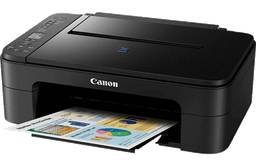
About Canon printers
Canon makes printers in three distinct lanes: PIXMA inkjets for home, MAXIFY for small office, and imageCLASS lasers for higher-volume mono and color work. Canon also runs its own ink ecosystem with PG and CL cartridges, which sit somewhere between HP's locked-down Instant Ink approach and Epson's more open EcoTank refill model. Most of the support traffic we see is on the PIXMA TR and TS lines.
Canon product lines
PIXMA TS and TR
All-in-one home inkjets. TS leans home and photo, TR leans home office. Both use a five-ink system on the higher models (pigment black for text plus dye-based black and three colors for photos), which is why output looks better than most HP equivalents at the same price.
PIXMA G (MegaTank)
Canon's tank-based inkjets, equivalent to Epson EcoTank or HP Smart Tank. Cheap running cost per page. The G7020 and G3260 are the popular home picks.
MAXIFY
Small office inkjets with higher monthly duty cycles and faster speeds than PIXMA. The MB and GX series are the ones to look at if you print more than 1000 pages a month.
imageCLASS
Mono and color laser printers and multifunctions. The MF series is the workhorse for small offices that have outgrown an inkjet.
Common Canon printer problems
Error B200
This means the printer has detected an electrical fault on the printhead. Sometimes it clears after pulling the printhead out, cleaning the contacts with a lint-free cloth and 90% isopropyl alcohol, and reseating it. If the error returns, the printhead needs replacing. On older PIXMA models a replacement printhead can cost as much as a new printer, so weigh the math.
Error 5100
Carriage error. The print head carriage cannot move freely. Open the printer, manually move the carriage all the way to the left and back, then look for paper scraps, the orange shipping clip people forget to remove, or a stuck purge pad. Power-cycle and try again. If 5100 persists, the encoder strip behind the carriage may need cleaning with a dry microfiber cloth.
Error 5200 (Support Code)
The printer thinks ink levels are critically low or the printhead is overheating. Run a deep cleaning cycle from the printer driver utility. If you recently replaced cartridges, make sure you removed the orange protective cap and the tape over the air vent at the top of the cartridge.
Printer printing blank pages
Three usual causes: empty cartridge being misreported as full (run a nozzle check), clogged nozzles from sitting idle (run two cleaning cycles), or a printhead that needs replacing. Canon printheads can usually be removed and soaked face-down in warm distilled water for an hour as a last-resort revival, which sometimes brings them back.
WiFi setup keeps failing
Canon printers do not support 5GHz WiFi. If your router only broadcasts 5GHz, or if it auto-selects 5GHz on the SSID your printer is trying to join, the connection will fail. Enable the 2.4GHz band on your router, give it a unique SSID, and connect the printer to that instead.
Canon drivers and downloads
Canon drivers are at canon.com/printer-support. Search by exact model. Canon also publishes a single MP Drivers package for many older PIXMA models, plus an MX Master or IJ Scan Utility for scan-specific features. Skip the bundled extras unless you need them.
What to buy and what to skip
For photo printing at home, a PIXMA TS8320 or similar five-ink TS model is hard to beat at its price. For lower running costs, the PIXMA G series with refillable ink bottles pays for itself within a year if you print more than 50 pages a month. Avoid the very cheapest TR models, the TR4500 series in particular has had reliability complaints around the auto document feeder.
Canon printer FAQs
Can I use third-party ink in a Canon PIXMA?
Yes, Canon is more permissive than HP about refilled and third-party cartridges. The printer will display a warning that the ink is not genuine and that ink level monitoring is disabled, but it will still print. Print quality with cheap third-party ink is hit and miss.
Why is my PIXMA slow on WiFi but fast on USB?
Canon WiFi performance is sensitive to signal strength. If the printer is more than two rooms away from your router, expect noticeably slower job spooling. A WiFi mesh node near the printer fixes this. The print mechanism itself is the same speed either way.
Do Canon printers work with Chromebook?
Most modern Canon PIXMA and MAXIFY models support Mopria, which is the Chrome OS print protocol. Add the printer through Chrome OS Settings then Printers. If it doesn't appear, check that the printer is on the same WiFi network and that mDNS is enabled on your router.
Canon Setup & Troubleshooting Guides
All guidesStep‑by‑step guides for common Canon printer setup, driver, and error problems.